 SINTDMA
(Non DMA)



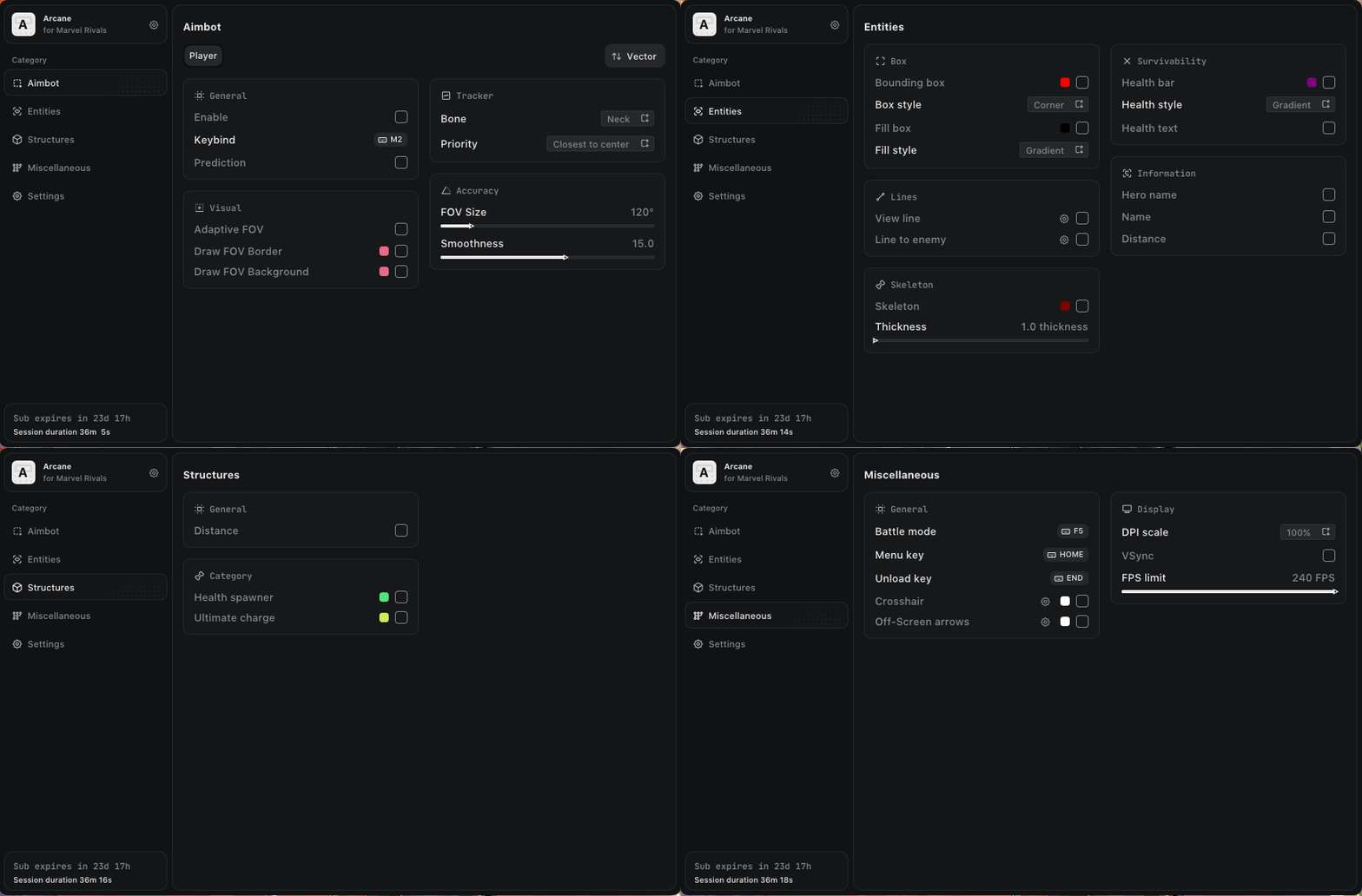
Aimbot (Vector)
Enable Aimbot – enables aimbot assistance
Hold Mode – aimbot is active only while holding the key
Toggle Mode – aimbot toggles on/off with a single key press
Aim Key – keybind to activate aimbot
Vector Aimbot – simulates human-like mouse movements
FOV (Field of View) – area where aimbot selects targets
Draw FOV – displays the aiming radius as a circle
FOV Color – customize the FOV circle color
Adaptive FOV – dynamically adjusts FOV based on combat situation
Smooth – aim smoothness (higher value = slower, smoother aim)
Distance – maximum aiming range in meters
Bone – select target body part
Prediction – predicts enemy movement trajectory
Lock Target – locks aimbot onto a target until shooting stops or target is eliminated
Switch Delay – delay before switching to a new target
Target Priority Selection – priority logic for selecting targets
Silent Aimbot – bullets hit targets without camera movement
pSilent Aimbot – stealth silent aim, invisible even in replays
Hit Chance – chance to hit when silent aimbot is enabled
Visible Check – targets only enemies in direct line of sight
ESP (Wallhack)
Player ESP – displays player positions and information
2D Box – ESP displayed as boxes
Hero Name – displays character names
Nickname – displays player nicknames
Distance – distance to enemies in meters
Line – snaplines pointing to opponents
OOV Arrows (Out of View) – arrows pointing to off-screen enemies
Enemy Only – ESP works only on enemies
Health (Text / Bar) – displays enemy health
Skeleton – skeleton ESP
Visible Check – different colors for visible and hidden targets
Prediction Cross – displays prediction indicators
Misc (Other Arcane Marvel Rivals Features)
CFG System – save and load Arcane cheat configurations
Language (English / Russian / Chinese) – supported menu languages
StreamProof – invisible on recordings, screenshots, and streams
Crosshair – static crosshair at the center of the screen
FOV Changer – adjust the camera field of view